div.nsl-container[data-align="left"] { text-align: left; } div.nsl-container[data-align="center"] { text-align: center; } div.nsl-container[data-align="right"] { text-align: right; } div.nsl-container div.nsl-container-buttons a[data-plugin="nsl"] { text-decoration: none; box-shadow: none; border: 0; } div.nsl-container .nsl-container-buttons { display: flex; padding: 5px 0; } div.nsl-container.nsl-container-block .nsl-container-buttons { display: inline-grid; grid-template-columns: minmax(145px, auto); } div.nsl-container-block-fullwidth .nsl-container-buttons { flex-flow: column; align-items: center; } div.nsl-container-block-fullwidth .nsl-container-buttons a, div.nsl-container-block .nsl-container-buttons a { flex: 1 1 auto; display: block; margin: 5px 0; width: 100%; } div.nsl-container-inline { margin: -5px; text-align: left; } div.nsl-container-inline .nsl-container-buttons { justify-content: center; flex-wrap: wrap; } div.nsl-container-inline .nsl-container-buttons a { margin: 5px; display: inline-block; } div.nsl-container-grid .nsl-container-buttons { flex-flow: row; align-items: center; flex-wrap: wrap; } div.nsl-container-grid .nsl-container-buttons a { flex: 1 1 auto; display: block; margin: 5px; max-width: 280px; width: 100%; } @media only screen and (min-width: 650px) { div.nsl-container-grid .nsl-container-buttons a { width: auto; } } div.nsl-container .nsl-button { cursor: pointer; vertical-align: top; border-radius: 4px; } div.nsl-container .nsl-button-default { color: #fff; display: flex; } div.nsl-container .nsl-button-icon { display: inline-block; } div.nsl-container .nsl-button-svg-container { flex: 0 0 auto; padding: 8px; display: flex; align-items: center; } div.nsl-container svg { height: 24px; width: 24px; vertical-align: top; } div.nsl-container .nsl-button-default div.nsl-button-label-container { margin: 0 24px 0 12px; padding: 10px 0; font-family: Helvetica, Arial, sans-serif; font-size: 16px; line-height: 20px; letter-spacing: .25px; overflow: hidden; text-align: center; text-overflow: clip; white-space: nowrap; flex: 1 1 auto; -webkit-font-smoothing: antialiased; -moz-osx-font-smoothing: grayscale; text-transform: none; display: inline-block; } div.nsl-container .nsl-button-google[data-skin="dark"] .nsl-button-svg-container { margin: 1px; padding: 7px; border-radius: 3px; background: #fff; } div.nsl-container .nsl-button-google[data-skin="light"] { border-radius: 1px; box-shadow: 0 1px 5px 0 rgba(0, 0, 0, .25); color: RGBA(0, 0, 0, 0.54); } div.nsl-container .nsl-button-apple .nsl-button-svg-container { padding: 0 6px; } div.nsl-container .nsl-button-apple .nsl-button-svg-container svg { height: 40px; width: auto; } div.nsl-container .nsl-button-apple[data-skin="light"] { color: #000; box-shadow: 0 0 0 1px #000; } div.nsl-container .nsl-button-facebook[data-skin="white"] { color: #000; box-shadow: inset 0 0 0 1px #000; } div.nsl-container .nsl-button-facebook[data-skin="light"] { color: #1877F2; box-shadow: inset 0 0 0 1px #1877F2; } div.nsl-container .nsl-button-spotify[data-skin="white"] { color: #191414; box-shadow: inset 0 0 0 1px #191414; } div.nsl-container .nsl-button-apple div.nsl-button-label-container { font-size: 17px; font-family: -apple-system, BlinkMacSystemFont, "Segoe UI", Roboto, Helvetica, Arial, sans-serif, "Apple Color Emoji", "Segoe UI Emoji", "Segoe UI Symbol"; } div.nsl-container .nsl-button-slack div.nsl-button-label-container { font-size: 17px; font-family: -apple-system, BlinkMacSystemFont, "Segoe UI", Roboto, Helvetica, Arial, sans-serif, "Apple Color Emoji", "Segoe UI Emoji", "Segoe UI Symbol"; } div.nsl-container .nsl-button-slack[data-skin="light"] { color: #000000; box-shadow: inset 0 0 0 1px #DDDDDD; } div.nsl-container .nsl-button-tiktok[data-skin="light"] { color: #161823; box-shadow: 0 0 0 1px rgba(22, 24, 35, 0.12); } div.nsl-container .nsl-button-kakao { color: rgba(0, 0, 0, 0.85); } .nsl-clear { clear: both; } .nsl-container { clear: both; } .nsl-disabled-provider .nsl-button { filter: grayscale(1); opacity: 0.8; } /*Button align start*/ div.nsl-container-inline[data-align="left"] .nsl-container-buttons { justify-content: flex-start; } div.nsl-container-inline[data-align="center"] .nsl-container-buttons { justify-content: center; } div.nsl-container-inline[data-align="right"] .nsl-container-buttons { justify-content: flex-end; } div.nsl-container-grid[data-align="left"] .nsl-container-buttons { justify-content: flex-start; } div.nsl-container-grid[data-align="center"] .nsl-container-buttons { justify-content: center; } div.nsl-container-grid[data-align="right"] .nsl-container-buttons { justify-content: flex-end; } div.nsl-container-grid[data-align="space-around"] .nsl-container-buttons { justify-content: space-around; } div.nsl-container-grid[data-align="space-between"] .nsl-container-buttons { justify-content: space-between; } /* Button align end*/ /* Redirect */ #nsl-redirect-overlay { display: flex; flex-direction: column; justify-content: center; align-items: center; position: fixed; z-index: 1000000; left: 0; top: 0; width: 100%; height: 100%; backdrop-filter: blur(1px); background-color: RGBA(0, 0, 0, .32);; } #nsl-redirect-overlay-container { display: flex; flex-direction: column; justify-content: center; align-items: center; background-color: white; padding: 30px; border-radius: 10px; } #nsl-redirect-overlay-spinner { content: ''; display: block; margin: 20px; border: 9px solid RGBA(0, 0, 0, .6); border-top: 9px solid #fff; border-radius: 50%; box-shadow: inset 0 0 0 1px RGBA(0, 0, 0, .6), 0 0 0 1px RGBA(0, 0, 0, .6); width: 40px; height: 40px; animation: nsl-loader-spin 2s linear infinite; } @keyframes nsl-loader-spin { 0% { transform: rotate(0deg) } to { transform: rotate(360deg) } } #nsl-redirect-overlay-title { font-family: -apple-system, BlinkMacSystemFont, "Segoe UI", Roboto, Oxygen-Sans, Ubuntu, Cantarell, "Helvetica Neue", sans-serif; font-size: 18px; font-weight: bold; color: #3C434A; } #nsl-redirect-overlay-text { font-family: -apple-system, BlinkMacSystemFont, "Segoe UI", Roboto, Oxygen-Sans, Ubuntu, Cantarell, "Helvetica Neue", sans-serif; text-align: center; font-size: 14px; color: #3C434A; } /* Redirect END*//* Notice fallback */ #nsl-notices-fallback { position: fixed; right: 10px; top: 10px; z-index: 10000; } .admin-bar #nsl-notices-fallback { top: 42px; } #nsl-notices-fallback > div { position: relative; background: #fff; border-left: 4px solid #fff; box-shadow: 0 1px 1px 0 rgba(0, 0, 0, .1); margin: 5px 15px 2px; padding: 1px 20px; } #nsl-notices-fallback > div.error { display: block; border-left-color: #dc3232; } #nsl-notices-fallback > div.updated { display: block; border-left-color: #46b450; } #nsl-notices-fallback p { margin: .5em 0; padding: 2px; } #nsl-notices-fallback > div:after { position: absolute; right: 5px; top: 5px; content: '\00d7'; display: block; height: 16px; width: 16px; line-height: 16px; text-align: center; font-size: 20px; cursor: pointer; }
TV Punjab | Punjabi News Channel

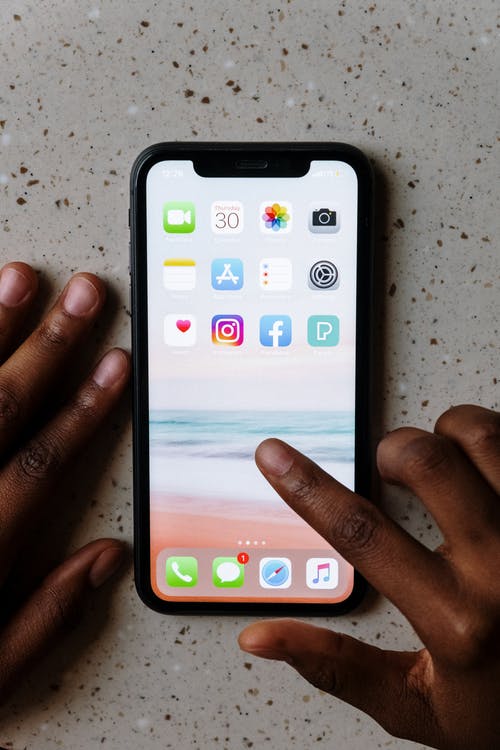
ਹੁਣ Apple iPhones ਵਿੱਚ ਚਲਾਓ Jio ਦਾ 5G ਨੈੱਟਵਰਕ, ਇੱਥੇ ਜਾਣੋ ਤਰੀਕਾ

ਨਵੀਂ ਦਿੱਲੀ: JioTrue 5G ਐਪਲ ਆਈਫੋਨਸ ਲਈ ਜਾਰੀ ਕੀਤਾ ਗਿਆ ਹੈ। ਰਿਲਾਇੰਸ ਜੀਓ ਨੇ ਘੋਸ਼ਣਾ ਕੀਤੀ ਹੈ ਕਿ ਦੇਸ਼ ਵਿੱਚ ਯੋਗ ਆਈਫੋਨ ਮਾਡਲਾਂ ਲਈ ਨਵੀਨਤਮ ਨੈੱਟਵਰਕ ਸਪੋਰਟ ਸ਼ੁਰੂ ਹੋ ਜਾਵੇਗੀ। ਐਪਲ ਆਈਫੋਨ 12 ਅਤੇ ਇਸ ਤੋਂ ਬਾਅਦ ਦੇ ਮਾਡਲ ਜੀਓ ਨੈੱਟਵਰਕ ਵਿੱਚ ਜੀਓ ਵੈਲਕਮ ਆਫਰ ਲਈ ਯੋਗ ਹੋਣਗੇ। ਉਨ੍ਹਾਂ ਨੂੰ ਸੱਚਮੁੱਚ ਬੇਅੰਤ 5G ਡਾਟਾ ਮੁਫਤ ਮਿਲੇਗਾ।

ਜਿਨ੍ਹਾਂ iPhone ਮਾਡਲਾਂ ਨੂੰ JioTrue 5G ਸਪੋਰਟ ਮਿਲੇਗੀ, ਉਹ ਹਨ Apple iPhone 12 Mini, Apple iPhone 12, Apple iPhone 12 Pro, Apple iPhone 12 Pro Max, Apple iPhone 13 Mini, Apple iPhone 13, Apple iPhone 13 Pro, Apple iPhone 13 Pro Max, Apple iPhone SE 2022 (3rd gen), Apple iPhone 14, Apple iPhone 14 Plus, Apple iPhone 14 Pro ਅਤੇ Apple iPhone 14 Pro Max.

iPhones ਵਿੱਚ JioTrue 5G ਦੀ ਵਰਤੋਂ ਇਸ ਤਰ੍ਹਾਂ ਕਰੋ:

– ਸਭ ਤੋਂ ਪਹਿਲਾਂ ਆਪਣੇ ਫੋਨ ਦੀ ਸੈਟਿੰਗ ‘ਤੇ ਜਾਓ।

– ਫਿਰ ਜਨਰਲ ‘ਤੇ ਟੈਪ ਕਰੋ। ਫਿਰ ਡਿਵਾਈਸ ਨੂੰ ਨਵੀਨਤਮ iOS 16.2 ਸੰਸਕਰਣ ‘ਤੇ ਅਪਡੇਟ ਕਰਨ ਲਈ ਸੌਫਟਵੇਅਰ ਅਪਡੇਟ ‘ਤੇ ਟੈਪ ਕਰੋ। ਫਿਰ ਜਿਵੇਂ ਹੀ ਸਾਫਟਵੇਅਰ ਇੰਸਟਾਲ ਹੋਵੇਗਾ, ਤੁਹਾਡਾ ਫੋਨ ਰੀਬੂਟ ਹੋ ਜਾਵੇਗਾ।

– ਹੁਣ ਤੁਹਾਨੂੰ ਦੁਬਾਰਾ ਆਪਣੇ ਆਈਫੋਨ ‘ਤੇ ਸੈਟਿੰਗਜ਼ ਐਪ ‘ਤੇ ਜਾਣਾ ਹੋਵੇਗਾ।

– ਇਸ ਤੋਂ ਬਾਅਦ ਤੁਹਾਨੂੰ General ਅਤੇ ਫਿਰ About ‘ਤੇ ਟੈਪ ਕਰਨਾ ਹੋਵੇਗਾ। ਜੇਕਰ ਪੁੱਛਿਆ ਜਾਂਦਾ ਹੈ, ਤਾਂ ਤੁਹਾਨੂੰ ਨਵੀਨਤਮ ਕੈਰੀਅਰ ਸੈਟਿੰਗਾਂ ‘ਤੇ ਅੱਪਡੇਟ ਕਰਨ ਲਈ ਪੜਾਵਾਂ ਦੀ ਪਾਲਣਾ ਕਰੋ।

– ਫਿਰ Jio 5G ਦੀ ਵਰਤੋਂ ਸ਼ੁਰੂ ਕਰਨ ਲਈ, Settings > Mobile Data > Voice & Data ‘ਤੇ ਜਾਓ।

– ਫਿਰ ਇੱਥੇ ਆ ਕੇ 5G AUTO ਅਤੇ 5G Standalone ON ਦੀ ਚੋਣ ਕਰੋ।

– ਇਸ ਤੋਂ ਬਾਅਦ Settings > Battery ‘ਤੇ ਜਾਓ ਅਤੇ ਲੋ ਪਾਵਰ ਮੋਡ ਨੂੰ ਬੰਦ ਕਰੋ।

ਤੁਹਾਨੂੰ ਦੱਸ ਦੇਈਏ ਕਿ Jio ਨੇ 5G ਲਈ ਵੈਲਕਮ ਆਫਰ ਦਾ ਐਲਾਨ ਕੀਤਾ ਹੈ। ਇਸ ਨਾਲ ਯੂਜ਼ਰਸ ਨੂੰ ਫ੍ਰੀ ‘ਚ 5ਜੀ ਕੁਨੈਕਟੀਵਿਟੀ ਮਿਲੇਗੀ। ਹਾਲਾਂਕਿ, ਉਪਭੋਗਤਾਵਾਂ ਕੋਲ ਘੱਟੋ ਘੱਟ 239 ਰੁਪਏ ਦਾ ਇੱਕ ਐਕਟਿਵ ਪ੍ਰੀਪੇਡ ਪਲਾਨ ਹੋਣਾ ਚਾਹੀਦਾ ਹੈ।

Exit mobile version