div.nsl-container[data-align="left"] {
text-align: left;
}
div.nsl-container[data-align="center"] {
text-align: center;
}
div.nsl-container[data-align="right"] {
text-align: right;
}
div.nsl-container div.nsl-container-buttons a[data-plugin="nsl"] {
text-decoration: none;
box-shadow: none;
border: 0;
}
div.nsl-container .nsl-container-buttons {
display: flex;
padding: 5px 0;
}
div.nsl-container.nsl-container-block .nsl-container-buttons {
display: inline-grid;
grid-template-columns: minmax(145px, auto);
}
div.nsl-container-block-fullwidth .nsl-container-buttons {
flex-flow: column;
align-items: center;
}
div.nsl-container-block-fullwidth .nsl-container-buttons a,
div.nsl-container-block .nsl-container-buttons a {
flex: 1 1 auto;
display: block;
margin: 5px 0;
width: 100%;
}
div.nsl-container-inline {
margin: -5px;
text-align: left;
}
div.nsl-container-inline .nsl-container-buttons {
justify-content: center;
flex-wrap: wrap;
}
div.nsl-container-inline .nsl-container-buttons a {
margin: 5px;
display: inline-block;
}
div.nsl-container-grid .nsl-container-buttons {
flex-flow: row;
align-items: center;
flex-wrap: wrap;
}
div.nsl-container-grid .nsl-container-buttons a {
flex: 1 1 auto;
display: block;
margin: 5px;
max-width: 280px;
width: 100%;
}
@media only screen and (min-width: 650px) {
div.nsl-container-grid .nsl-container-buttons a {
width: auto;
}
}
div.nsl-container .nsl-button {
cursor: pointer;
vertical-align: top;
border-radius: 4px;
}
div.nsl-container .nsl-button-default {
color: #fff;
display: flex;
}
div.nsl-container .nsl-button-icon {
display: inline-block;
}
div.nsl-container .nsl-button-svg-container {
flex: 0 0 auto;
padding: 8px;
display: flex;
align-items: center;
}
div.nsl-container svg {
height: 24px;
width: 24px;
vertical-align: top;
}
div.nsl-container .nsl-button-default div.nsl-button-label-container {
margin: 0 24px 0 12px;
padding: 10px 0;
font-family: Helvetica, Arial, sans-serif;
font-size: 16px;
line-height: 20px;
letter-spacing: .25px;
overflow: hidden;
text-align: center;
text-overflow: clip;
white-space: nowrap;
flex: 1 1 auto;
-webkit-font-smoothing: antialiased;
-moz-osx-font-smoothing: grayscale;
text-transform: none;
display: inline-block;
}
div.nsl-container .nsl-button-google[data-skin="dark"] .nsl-button-svg-container {
margin: 1px;
padding: 7px;
border-radius: 3px;
background: #fff;
}
div.nsl-container .nsl-button-google[data-skin="light"] {
border-radius: 1px;
box-shadow: 0 1px 5px 0 rgba(0, 0, 0, .25);
color: RGBA(0, 0, 0, 0.54);
}
div.nsl-container .nsl-button-apple .nsl-button-svg-container {
padding: 0 6px;
}
div.nsl-container .nsl-button-apple .nsl-button-svg-container svg {
height: 40px;
width: auto;
}
div.nsl-container .nsl-button-apple[data-skin="light"] {
color: #000;
box-shadow: 0 0 0 1px #000;
}
div.nsl-container .nsl-button-facebook[data-skin="white"] {
color: #000;
box-shadow: inset 0 0 0 1px #000;
}
div.nsl-container .nsl-button-facebook[data-skin="light"] {
color: #1877F2;
box-shadow: inset 0 0 0 1px #1877F2;
}
div.nsl-container .nsl-button-spotify[data-skin="white"] {
color: #191414;
box-shadow: inset 0 0 0 1px #191414;
}
div.nsl-container .nsl-button-apple div.nsl-button-label-container {
font-size: 17px;
font-family: -apple-system, BlinkMacSystemFont, "Segoe UI", Roboto, Helvetica, Arial, sans-serif, "Apple Color Emoji", "Segoe UI Emoji", "Segoe UI Symbol";
}
div.nsl-container .nsl-button-slack div.nsl-button-label-container {
font-size: 17px;
font-family: -apple-system, BlinkMacSystemFont, "Segoe UI", Roboto, Helvetica, Arial, sans-serif, "Apple Color Emoji", "Segoe UI Emoji", "Segoe UI Symbol";
}
div.nsl-container .nsl-button-slack[data-skin="light"] {
color: #000000;
box-shadow: inset 0 0 0 1px #DDDDDD;
}
div.nsl-container .nsl-button-tiktok[data-skin="light"] {
color: #161823;
box-shadow: 0 0 0 1px rgba(22, 24, 35, 0.12);
}
div.nsl-container .nsl-button-kakao {
color: rgba(0, 0, 0, 0.85);
}
.nsl-clear {
clear: both;
}
.nsl-container {
clear: both;
}
.nsl-disabled-provider .nsl-button {
filter: grayscale(1);
opacity: 0.8;
}
/*Button align start*/
div.nsl-container-inline[data-align="left"] .nsl-container-buttons {
justify-content: flex-start;
}
div.nsl-container-inline[data-align="center"] .nsl-container-buttons {
justify-content: center;
}
div.nsl-container-inline[data-align="right"] .nsl-container-buttons {
justify-content: flex-end;
}
div.nsl-container-grid[data-align="left"] .nsl-container-buttons {
justify-content: flex-start;
}
div.nsl-container-grid[data-align="center"] .nsl-container-buttons {
justify-content: center;
}
div.nsl-container-grid[data-align="right"] .nsl-container-buttons {
justify-content: flex-end;
}
div.nsl-container-grid[data-align="space-around"] .nsl-container-buttons {
justify-content: space-around;
}
div.nsl-container-grid[data-align="space-between"] .nsl-container-buttons {
justify-content: space-between;
}
/* Button align end*/
/* Redirect */
#nsl-redirect-overlay {
display: flex;
flex-direction: column;
justify-content: center;
align-items: center;
position: fixed;
z-index: 1000000;
left: 0;
top: 0;
width: 100%;
height: 100%;
backdrop-filter: blur(1px);
background-color: RGBA(0, 0, 0, .32);;
}
#nsl-redirect-overlay-container {
display: flex;
flex-direction: column;
justify-content: center;
align-items: center;
background-color: white;
padding: 30px;
border-radius: 10px;
}
#nsl-redirect-overlay-spinner {
content: '';
display: block;
margin: 20px;
border: 9px solid RGBA(0, 0, 0, .6);
border-top: 9px solid #fff;
border-radius: 50%;
box-shadow: inset 0 0 0 1px RGBA(0, 0, 0, .6), 0 0 0 1px RGBA(0, 0, 0, .6);
width: 40px;
height: 40px;
animation: nsl-loader-spin 2s linear infinite;
}
@keyframes nsl-loader-spin {
0% {
transform: rotate(0deg)
}
to {
transform: rotate(360deg)
}
}
#nsl-redirect-overlay-title {
font-family: -apple-system, BlinkMacSystemFont, "Segoe UI", Roboto, Oxygen-Sans, Ubuntu, Cantarell, "Helvetica Neue", sans-serif;
font-size: 18px;
font-weight: bold;
color: #3C434A;
}
#nsl-redirect-overlay-text {
font-family: -apple-system, BlinkMacSystemFont, "Segoe UI", Roboto, Oxygen-Sans, Ubuntu, Cantarell, "Helvetica Neue", sans-serif;
text-align: center;
font-size: 14px;
color: #3C434A;
}
/* Redirect END*//* Notice fallback */
#nsl-notices-fallback {
position: fixed;
right: 10px;
top: 10px;
z-index: 10000;
}
.admin-bar #nsl-notices-fallback {
top: 42px;
}
#nsl-notices-fallback > div {
position: relative;
background: #fff;
border-left: 4px solid #fff;
box-shadow: 0 1px 1px 0 rgba(0, 0, 0, .1);
margin: 5px 15px 2px;
padding: 1px 20px;
}
#nsl-notices-fallback > div.error {
display: block;
border-left-color: #dc3232;
}
#nsl-notices-fallback > div.updated {
display: block;
border-left-color: #46b450;
}
#nsl-notices-fallback p {
margin: .5em 0;
padding: 2px;
}
#nsl-notices-fallback > div:after {
position: absolute;
right: 5px;
top: 5px;
content: '\00d7';
display: block;
height: 16px;
width: 16px;
line-height: 16px;
text-align: center;
font-size: 20px;
cursor: pointer;
}
ਮੋਬਾਈਲ ਫੋਨ ‘ਤੇ ਚੋਣ ਨਤੀਜੇ ਦੇਖੋ, ਇੱਥੇ ਜਾਣੋ ਕਦਮ ਦਰ ਕਦਮ ਪੂਰੀ ਪ੍ਰਕਿਰਿਆ

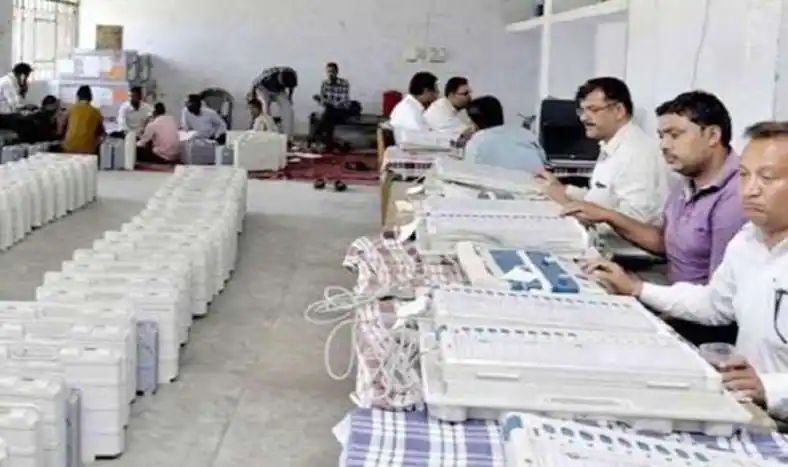
ਦੇਸ਼ ਵਿੱਚ ਅੱਜਕਲ ਚੋਣਾਵੀ ਲਹਿਰ ਪੂਰੇ ਜ਼ੋਰਾਂ ’ਤੇ ਚੱਲ ਰਹੀ ਹੈ ਅਤੇ ਸਾਰਿਆਂ ਦੀਆਂ ਨਜ਼ਰਾਂ ਪੰਜ ਰਾਜਾਂ ਵਿੱਚ ਹੋਈਆਂ ਵਿਧਾਨ ਸਭਾ ਚੋਣਾਂ ਦੇ ਨਤੀਜਿਆਂ ’ਤੇ ਟਿਕੀਆਂ ਹੋਈਆਂ ਹਨ। ਇੰਤਜ਼ਾਰ ਦੀ ਘੜੀ ਵਿੱਚ ਬਹੁਤ ਘੱਟ ਸਮਾਂ ਬਚਿਆ ਹੈ ਕਿਉਂਕਿ ਅੱਜ ਯਾਨੀ ਕਿ 10 ਮਾਰਚ ਨੂੰ ਸਾਰੇ ਪੰਜ ਰਾਜਾਂ ਵਿੱਚ ਸਵੇਰੇ 8 ਵਜੇ ਤੋਂ ਵੋਟਾਂ ਦੀ ਗਿਣਤੀ ਸ਼ੁਰੂ ਹੋ ਗਈ ਹੈ। ਜਿਸ ਤੋਂ ਬਾਅਦ ਇਹ ਤੈਅ ਹੋਵੇਗਾ ਕਿ ਕਿਸ ਪਾਰਟੀ ਦੀ ਕਿਸ ਸੂਬੇ ‘ਚ ਸਰਕਾਰ ਬਣੇਗੀ। ਅਜਿਹੀ ਸਥਿਤੀ ਵਿੱਚ, ਜੇਕਰ ਤੁਸੀਂ ਵੀ ਆਪਣੇ ਰਾਜ ਅਤੇ ਖੇਤਰ ਨਾਲ ਸਬੰਧਤ ਹਰ ਅਪਡੇਟ ਪ੍ਰਾਪਤ ਕਰਨਾ ਚਾਹੁੰਦੇ ਹੋ, ਤਾਂ ਤੁਸੀਂ ਇਸਦੇ ਲਈ ਵੋਟਰ ਹੈਲਪਲਾਈਨ ਐਪ ਅਤੇ ਚੋਣ ਕਮਿਸ਼ਨ ਦੀ ਵੈਬਸਾਈਟ ਦੀ ਵਰਤੋਂ ਕਰ ਸਕਦੇ ਹੋ।
ਵੋਟਰ ਹੈਲਪਲਾਈਨ ਐਪ ਅਤੇ ਚੋਣ ਕਮਿਸ਼ਨ ਦੀ ਵੈੱਬਸਾਈਟ ‘ਤੇ, ਤੁਹਾਨੂੰ ਵੋਟਾਂ ਦੀ ਗਿਣਤੀ ਨਾਲ ਸਬੰਧਤ ਹਰ ਪਲ ਦੀ ਅਪਡੇਟ ਮਿਲੇਗੀ। ਇਸ ਦੇ ਲਈ ਤੁਹਾਨੂੰ ਸਾਰਾ ਦਿਨ ਟੀਵੀ ਦੇ ਸਾਹਮਣੇ ਬੈਠਣ ਦੀ ਜ਼ਰੂਰਤ ਨਹੀਂ ਹੈ। ਇਸ ਦੀ ਬਜਾਏ ਤੁਸੀਂ ਆਪਣੇ ਮੋਬਾਈਲ ਫੋਨ ਰਾਹੀਂ ਇਸ ਐਪ ਦੀ ਵਰਤੋਂ ਕਰਕੇ ਆਪਣੇ ਪਸੰਦੀਦਾ ਖੇਤਰ ਦੇ ਅਪਡੇਟ ਦੀ ਜਾਂਚ ਕਰ ਸਕਦੇ ਹੋ। ਇੱਥੇ ਅਸੀਂ ਤੁਹਾਨੂੰ ਦੱਸ ਰਹੇ ਹਾਂ ਕਿ ਵੋਟਰ ਹੈਲਪਲਾਈਨ ਐਪ ਅਤੇ ਚੋਣ ਕਮਿਸ਼ਨ ਦੀ ਵੈੱਬਸਾਈਟ ਰਾਹੀਂ ਵਿਧਾਨ ਸਭਾ ਚੋਣਾਂ ਦਾ ਨਤੀਜਾ ਕਿਵੇਂ ਚੈੱਕ ਕੀਤਾ ਜਾਵੇ।
ECI ਵੈੱਬਸਾਈਟ ਰਾਹੀਂ ਜਾਂਚ ਕਰਕੇ ਨਤੀਜਾ
ਸਟੈਪ 1- ਇਸਦੇ ਲਈ ਤੁਹਾਨੂੰ ਪਹਿਲਾਂ ਚੋਣ ਕਮਿਸ਼ਨ ਦੀ ਵੈੱਬਸਾਈਟ https://results.eci.gov.in ‘ਤੇ ਜਾਣਾ ਹੋਵੇਗਾ।
ਸਟੈਪ 2- ਇੱਥੇ ਤੁਹਾਨੂੰ General elections to assembly constituency march-2022 ਦੇ ਲਿੰਕ ‘ਤੇ ਕਲਿੱਕ ਕਰਨਾ ਹੋਵੇਗਾ।
ਕਦਮ 3- ਇਸ ਤੋਂ ਬਾਅਦ, ਇੱਕ ਨਵੀਂ ਵਿੰਡੋ ਖੁੱਲੇਗੀ ਜਿੱਥੇ ਤੁਸੀਂ ਆਪਣੇ ਰਾਜ ਅਤੇ ਹਲਕੇ ਦੇ ਤਾਜ਼ਾ ਨਤੀਜੇ ਦੇਖ ਸਕਦੇ ਹੋ।
ਸਟੈਪ 4- ਦੱਸ ਦੇਈਏ ਕਿ ਇਹ ਵਿੰਡੋ 10 ਮਾਰਚ ਨੂੰ ਸਵੇਰੇ 8 ਵਜੇ ਹੀ ਐਕਟਿਵ ਹੋਵੇਗੀ।
ECI Voter Helpline app ‘ਤੇ ਨਤੀਜਾ ਦੇਖੋ
ਸਟੈਪ 1- ਇਸਦੇ ਲਈ, ਤੁਹਾਨੂੰ ਪਹਿਲਾਂ ਗੂਗਲ ਪਲੇ ਸਟੋਰ ਜਾਂ ਐਪ ਸਟੋਰ ‘ਤੇ ਜਾ ਕੇ ECI ਵੋਟਰ ਹੈਲਪਲਾਈਨ ਐਪ ਨੂੰ ਡਾਊਨਲੋਡ ਅਤੇ ਇੰਸਟਾਲ ਕਰਨਾ ਹੋਵੇਗਾ।
ਸਟੈਪ 2- ਐਪ ਨੂੰ ਡਾਊਨਲੋਡ ਕਰਨ ਤੋਂ ਬਾਅਦ, ਇਸਨੂੰ ਓਪਨ ਕਰੋ ਅਤੇ ਉੱਥੇ ਰਜਿਸਟਰ ਕਰੋ।
ਸਟੈਪ 3- ਰਜਿਸਟ੍ਰੇਸ਼ਨ ਪ੍ਰਕਿਰਿਆ ਪੂਰੀ ਹੋਣ ਤੋਂ ਬਾਅਦ, ਹੋਮਪੇਜ ‘ਤੇ ਵਿਧਾਨ ਸਭਾ ਚੋਣਾਂ 2022 ਦੇ ਨਤੀਜੇ ਦਾ ਵਿਕਲਪ ਉਪਲਬਧ ਹੋਵੇਗਾ।
ਕਦਮ 4- ਇਸ ਤੋਂ ਬਾਅਦ ਤੁਸੀਂ ਆਪਣੇ ਖੇਤਰ ਦੇ ਨਵੀਨਤਮ ਨਤੀਜਿਆਂ ਦੀ ਜਾਂਚ ਕਰ ਸਕਦੇ ਹੋ।


