div.nsl-container[data-align="left"] {
text-align: left;
}
div.nsl-container[data-align="center"] {
text-align: center;
}
div.nsl-container[data-align="right"] {
text-align: right;
}
div.nsl-container div.nsl-container-buttons a[data-plugin="nsl"] {
text-decoration: none;
box-shadow: none;
border: 0;
}
div.nsl-container .nsl-container-buttons {
display: flex;
padding: 5px 0;
}
div.nsl-container.nsl-container-block .nsl-container-buttons {
display: inline-grid;
grid-template-columns: minmax(145px, auto);
}
div.nsl-container-block-fullwidth .nsl-container-buttons {
flex-flow: column;
align-items: center;
}
div.nsl-container-block-fullwidth .nsl-container-buttons a,
div.nsl-container-block .nsl-container-buttons a {
flex: 1 1 auto;
display: block;
margin: 5px 0;
width: 100%;
}
div.nsl-container-inline {
margin: -5px;
text-align: left;
}
div.nsl-container-inline .nsl-container-buttons {
justify-content: center;
flex-wrap: wrap;
}
div.nsl-container-inline .nsl-container-buttons a {
margin: 5px;
display: inline-block;
}
div.nsl-container-grid .nsl-container-buttons {
flex-flow: row;
align-items: center;
flex-wrap: wrap;
}
div.nsl-container-grid .nsl-container-buttons a {
flex: 1 1 auto;
display: block;
margin: 5px;
max-width: 280px;
width: 100%;
}
@media only screen and (min-width: 650px) {
div.nsl-container-grid .nsl-container-buttons a {
width: auto;
}
}
div.nsl-container .nsl-button {
cursor: pointer;
vertical-align: top;
border-radius: 4px;
}
div.nsl-container .nsl-button-default {
color: #fff;
display: flex;
}
div.nsl-container .nsl-button-icon {
display: inline-block;
}
div.nsl-container .nsl-button-svg-container {
flex: 0 0 auto;
padding: 8px;
display: flex;
align-items: center;
}
div.nsl-container svg {
height: 24px;
width: 24px;
vertical-align: top;
}
div.nsl-container .nsl-button-default div.nsl-button-label-container {
margin: 0 24px 0 12px;
padding: 10px 0;
font-family: Helvetica, Arial, sans-serif;
font-size: 16px;
line-height: 20px;
letter-spacing: .25px;
overflow: hidden;
text-align: center;
text-overflow: clip;
white-space: nowrap;
flex: 1 1 auto;
-webkit-font-smoothing: antialiased;
-moz-osx-font-smoothing: grayscale;
text-transform: none;
display: inline-block;
}
div.nsl-container .nsl-button-google[data-skin="dark"] .nsl-button-svg-container {
margin: 1px;
padding: 7px;
border-radius: 3px;
background: #fff;
}
div.nsl-container .nsl-button-google[data-skin="light"] {
border-radius: 1px;
box-shadow: 0 1px 5px 0 rgba(0, 0, 0, .25);
color: RGBA(0, 0, 0, 0.54);
}
div.nsl-container .nsl-button-apple .nsl-button-svg-container {
padding: 0 6px;
}
div.nsl-container .nsl-button-apple .nsl-button-svg-container svg {
height: 40px;
width: auto;
}
div.nsl-container .nsl-button-apple[data-skin="light"] {
color: #000;
box-shadow: 0 0 0 1px #000;
}
div.nsl-container .nsl-button-facebook[data-skin="white"] {
color: #000;
box-shadow: inset 0 0 0 1px #000;
}
div.nsl-container .nsl-button-facebook[data-skin="light"] {
color: #1877F2;
box-shadow: inset 0 0 0 1px #1877F2;
}
div.nsl-container .nsl-button-spotify[data-skin="white"] {
color: #191414;
box-shadow: inset 0 0 0 1px #191414;
}
div.nsl-container .nsl-button-apple div.nsl-button-label-container {
font-size: 17px;
font-family: -apple-system, BlinkMacSystemFont, "Segoe UI", Roboto, Helvetica, Arial, sans-serif, "Apple Color Emoji", "Segoe UI Emoji", "Segoe UI Symbol";
}
div.nsl-container .nsl-button-slack div.nsl-button-label-container {
font-size: 17px;
font-family: -apple-system, BlinkMacSystemFont, "Segoe UI", Roboto, Helvetica, Arial, sans-serif, "Apple Color Emoji", "Segoe UI Emoji", "Segoe UI Symbol";
}
div.nsl-container .nsl-button-slack[data-skin="light"] {
color: #000000;
box-shadow: inset 0 0 0 1px #DDDDDD;
}
div.nsl-container .nsl-button-tiktok[data-skin="light"] {
color: #161823;
box-shadow: 0 0 0 1px rgba(22, 24, 35, 0.12);
}
div.nsl-container .nsl-button-kakao {
color: rgba(0, 0, 0, 0.85);
}
.nsl-clear {
clear: both;
}
.nsl-container {
clear: both;
}
.nsl-disabled-provider .nsl-button {
filter: grayscale(1);
opacity: 0.8;
}
/*Button align start*/
div.nsl-container-inline[data-align="left"] .nsl-container-buttons {
justify-content: flex-start;
}
div.nsl-container-inline[data-align="center"] .nsl-container-buttons {
justify-content: center;
}
div.nsl-container-inline[data-align="right"] .nsl-container-buttons {
justify-content: flex-end;
}
div.nsl-container-grid[data-align="left"] .nsl-container-buttons {
justify-content: flex-start;
}
div.nsl-container-grid[data-align="center"] .nsl-container-buttons {
justify-content: center;
}
div.nsl-container-grid[data-align="right"] .nsl-container-buttons {
justify-content: flex-end;
}
div.nsl-container-grid[data-align="space-around"] .nsl-container-buttons {
justify-content: space-around;
}
div.nsl-container-grid[data-align="space-between"] .nsl-container-buttons {
justify-content: space-between;
}
/* Button align end*/
/* Redirect */
#nsl-redirect-overlay {
display: flex;
flex-direction: column;
justify-content: center;
align-items: center;
position: fixed;
z-index: 1000000;
left: 0;
top: 0;
width: 100%;
height: 100%;
backdrop-filter: blur(1px);
background-color: RGBA(0, 0, 0, .32);;
}
#nsl-redirect-overlay-container {
display: flex;
flex-direction: column;
justify-content: center;
align-items: center;
background-color: white;
padding: 30px;
border-radius: 10px;
}
#nsl-redirect-overlay-spinner {
content: '';
display: block;
margin: 20px;
border: 9px solid RGBA(0, 0, 0, .6);
border-top: 9px solid #fff;
border-radius: 50%;
box-shadow: inset 0 0 0 1px RGBA(0, 0, 0, .6), 0 0 0 1px RGBA(0, 0, 0, .6);
width: 40px;
height: 40px;
animation: nsl-loader-spin 2s linear infinite;
}
@keyframes nsl-loader-spin {
0% {
transform: rotate(0deg)
}
to {
transform: rotate(360deg)
}
}
#nsl-redirect-overlay-title {
font-family: -apple-system, BlinkMacSystemFont, "Segoe UI", Roboto, Oxygen-Sans, Ubuntu, Cantarell, "Helvetica Neue", sans-serif;
font-size: 18px;
font-weight: bold;
color: #3C434A;
}
#nsl-redirect-overlay-text {
font-family: -apple-system, BlinkMacSystemFont, "Segoe UI", Roboto, Oxygen-Sans, Ubuntu, Cantarell, "Helvetica Neue", sans-serif;
text-align: center;
font-size: 14px;
color: #3C434A;
}
/* Redirect END*//* Notice fallback */
#nsl-notices-fallback {
position: fixed;
right: 10px;
top: 10px;
z-index: 10000;
}
.admin-bar #nsl-notices-fallback {
top: 42px;
}
#nsl-notices-fallback > div {
position: relative;
background: #fff;
border-left: 4px solid #fff;
box-shadow: 0 1px 1px 0 rgba(0, 0, 0, .1);
margin: 5px 15px 2px;
padding: 1px 20px;
}
#nsl-notices-fallback > div.error {
display: block;
border-left-color: #dc3232;
}
#nsl-notices-fallback > div.updated {
display: block;
border-left-color: #46b450;
}
#nsl-notices-fallback p {
margin: .5em 0;
padding: 2px;
}
#nsl-notices-fallback > div:after {
position: absolute;
right: 5px;
top: 5px;
content: '\00d7';
display: block;
height: 16px;
width: 16px;
line-height: 16px;
text-align: center;
font-size: 20px;
cursor: pointer;
}
ਵਾਈ-ਫਾਈ ਕਾਲਿੰਗ ਕੀ ਹੈ, ਇਸ ਦੇ ਕੀ ਫਾਇਦੇ ਹਨ ਅਤੇ ਆਪਣੇ ਸਮਾਰਟਫੋਨ ‘ਤੇ ਕਿਵੇਂ ਸੈੱਟਅੱਪ ਕਰਨਾ ਹੈ

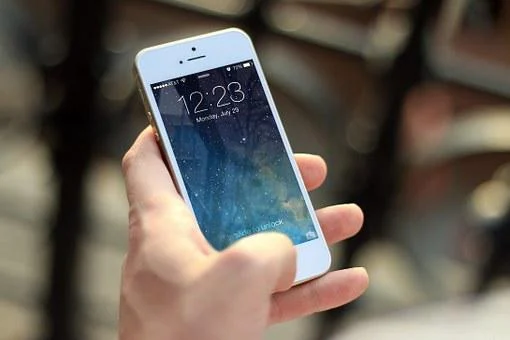
ਵਾਈ-ਫਾਈ ਕਾਲਿੰਗ ਅਜਿਹੀ ਜਗ੍ਹਾ ‘ਤੇ ਕੀਤੀ ਜਾਂਦੀ ਹੈ ਜਿੱਥੇ ਕਨੈਕਟੀਵਿਟੀ ਘੱਟ ਜਾਂ ਖਰਾਬ ਹੈ। ਇਸਦਾ ਮਤਲਬ ਇਹ ਹੈ ਕਿ ਜਦੋਂ ਤੁਹਾਡਾ ਫ਼ੋਨ ਕਨੈਕਟੀਵਿਟੀ ਵਧਾਉਣ ਲਈ ਮੋਬਾਈਲ ਨੈੱਟਵਰਕ ‘ਤੇ ਕਾਲ ਕਰਨ ਲਈ ਵਾਈ-ਫਾਈ ਦੀ ਵਰਤੋਂ ਕਰਦਾ ਹੈ, ਤਾਂ ਇਸਨੂੰ ਵਾਈ-ਫਾਈ ਕਾਲਿੰਗ ਕਿਹਾ ਜਾਂਦਾ ਹੈ। ਵਾਈ-ਫਾਈ ਕਾਲਿੰਗ ਤੁਹਾਡੇ ਦੂਰਸੰਚਾਰ ਪ੍ਰਦਾਤਾ ਦੁਆਰਾ ਪ੍ਰਦਾਨ ਕੀਤੀ ਇੱਕ ਸਹੂਲਤ ਹੈ। ਇਹ ਕਾਲ ਨੂੰ ਸਪੱਸ਼ਟ ਅਤੇ ਆਸਾਨ ਬਣਾਉਣ ਦੇ ਯੋਗ ਹੈ।
ਭਾਰਤ ਦੀਆਂ ਸਾਰੀਆਂ ਪ੍ਰਮੁੱਖ ਦੂਰਸੰਚਾਰ ਕੰਪਨੀਆਂ ਜਿਵੇਂ ਕਿ ਏਅਰਟੈੱਲ, ਜੀਓ ਅਤੇ ਵੋਡਾਫੋਨ ਆਈਡੀਆ (VI) ਆਪਣੇ ਗਾਹਕਾਂ ਨੂੰ ਵਾਈ-ਫਾਈ ਕਾਲਿੰਗ ਪ੍ਰਦਾਨ ਕਰਦੀਆਂ ਹਨ। ਕਿਉਂਕਿ ਇਹ ਵਿਸ਼ੇਸ਼ਤਾ ਹੁਣ ਆਮ ਹੋ ਗਈ ਹੈ, ਲੋਕ ਜਾਣਨਾ ਚਾਹੁੰਦੇ ਹਨ ਕਿ ਇਹ ਅਸਲ ਵਿੱਚ ਕੀ ਕਰਦਾ ਹੈ ਅਤੇ ਅਜਿਹੀ ਸਥਿਤੀ ਵਿੱਚ Wi-Fi ਕਾਲਾਂ ਕਿਵੇਂ ਸੰਭਵ ਹਨ ਜਿੱਥੇ ਇੱਕ ਵਿਅਕਤੀ ਦੇਸ਼ ਦੇ ਦੂਜੇ ਪਾਸੇ ਬੈਠਾ ਹੈ, ਕਿਉਂਕਿ ਤੁਸੀਂ ਸਪੱਸ਼ਟ ਤੌਰ ‘ਤੇ ਇੱਕ ਵਿਅਕਤੀ ਹੋ, ਇਸ ਨੂੰ ਸਾਂਝਾ ਨਹੀਂ ਕਰ ਰਹੇ ਹੋ। ਇੱਕੋ ਨੈੱਟਵਰਕ. ਆਓ, ਅਸੀਂ ਤੁਹਾਨੂੰ ਇਸ ਸਬੰਧ ਵਿੱਚ ਪੂਰੀ ਜਾਣਕਾਰੀ ਦਿੰਦੇ ਹਾਂ।
ਵਾਈ-ਫਾਈ ਕਾਲਿੰਗ ਕੀ ਹੈ?
ਸਧਾਰਨ ਰੂਪ ਵਿੱਚ, Wi-Fi ਕਾਲਿੰਗ ਇੱਕ ਸੁਵਿਧਾ ਹੈ ਜੋ ਉਪਭੋਗਤਾਵਾਂ ਨੂੰ ਮੋਬਾਈਲ ਡੇਟਾ ਦੇ ਬਦਲੇ ਇੱਕ Wi-Fi ਕਨੈਕਸ਼ਨ ‘ਤੇ ਕਾਲਾਂ ਅਤੇ ਟੈਕਸਟ ਭੇਜਣ ਅਤੇ ਪ੍ਰਾਪਤ ਕਰਨ ਦੀ ਆਗਿਆ ਦਿੰਦੀ ਹੈ। ਇਹ ਖਾਸ ਤੌਰ ‘ਤੇ ਕਮਜ਼ੋਰ ਕਨੈਕਟੀਵਿਟੀ ਵਾਲੀਆਂ ਥਾਵਾਂ ‘ਤੇ ਪ੍ਰਭਾਵਸ਼ਾਲੀ ਹੈ। ਤੁਹਾਡਾ ਸਮਾਰਟਫੋਨ ਟੈਲੀਕਾਮ ਕੰਪਨੀਆਂ ਦੇ ਨੈੱਟਵਰਕ ਦੀ ਬਜਾਏ ਕਾਲ ਕਰਨ ਲਈ ਵਾਈ-ਫਾਈ ਨੈੱਟਵਰਕ ਦੀ ਵਰਤੋਂ ਕਰਦਾ ਹੈ। ਵਾਈ-ਫਾਈ ਕਾਲਿੰਗ ਆਮ ਤੌਰ ‘ਤੇ ਟੈਲੀਕਾਮ ਪ੍ਰਦਾਤਾ ਦੁਆਰਾ ਆਪਣੇ ਆਪ ਕਿਰਿਆਸ਼ੀਲ ਹੋ ਜਾਂਦੀ ਹੈ। ਵਾਈ-ਫਾਈ ਕਾਲਿੰਗ ਨੂੰ ਐਕਟੀਵੇਟ ਕਰਨ ਲਈ ਯੂਜ਼ਰਸ ਨੂੰ ਆਪਣੇ ਸਮਾਰਟਫੋਨ ‘ਤੇ ਆਮ ਤੌਰ ‘ਤੇ ਕੁਝ ਕਰਨ ਦੀ ਲੋੜ ਨਹੀਂ ਹੁੰਦੀ ਹੈ।
ਕੀ ਹੋਰ ਡੇਟਾ ਦੀ ਖਪਤ ਹੋਵੇਗੀ?
ਤੁਹਾਡਾ ਸਵਾਲ ਹੋਵੇਗਾ ਕਿ ਕੀ ਵਾਈ-ਫਾਈ ਕਾਲਿੰਗ ਆਮ ਕਾਲਿੰਗ ਨਾਲੋਂ ਜ਼ਿਆਦਾ ਡਾਟਾ ਜਾਂ ਬੈਟਰੀ ਦੀ ਖਪਤ ਕਰਦੀ ਹੈ? ਜਵਾਬ ਨਹੀਂ ਹੈ। ਵਾਈ-ਫਾਈ ਕਾਲਿੰਗ ਕਾਲ ਕਰਨ ਲਈ ਸਿਰਫ਼ ਤੁਹਾਡੇ ਵਾਈ-ਫਾਈ ਨੈੱਟਵਰਕ ਦੀ ਵਰਤੋਂ ਕਰਦੀ ਹੈ ਅਤੇ ਕਿਸੇ ਵੀ ਮੋਬਾਈਲ ਡਾਟਾ ਦੀ ਵਰਤੋਂ ਨਹੀਂ ਕਰਦੀ। ਏਅਰਟੈੱਲ ਦੇ ਅਨੁਸਾਰ, 5 ਮਿੰਟ ਦੀ ਵਾਈ-ਫਾਈ ਕਾਲ ਲਗਭਗ 5MB ਡੇਟਾ ਦੀ ਖਪਤ ਕਰਦੀ ਹੈ। ਬੈਟਰੀ ਦੀ ਖਪਤ ਵੀ ਆਮ ਕਾਲਾਂ ਵਾਂਗ ਹੈ। ਅਜਿਹਾ ਇਸ ਲਈ ਹੈ ਕਿਉਂਕਿ ਸਮਾਰਟਫੋਨ ਉਹੀ ਕੰਮ ਕਰ ਰਿਹਾ ਹੈ, ਪਰ ਮੋਬਾਈਲ ਨੈੱਟਵਰਕ ਦੀ ਬਜਾਏ ਵਾਈ-ਫਾਈ ‘ਤੇ।
ਕਿੰਨਾ ਚਾਰਜ ਕਰੋ?
ਵਾਈ-ਫਾਈ ਕਾਲਿੰਗ ਤੁਹਾਡੇ ਟੈਲੀਕਾਮ ਪ੍ਰਦਾਤਾ ਦੁਆਰਾ ਆਪਣੇ ਆਪ ਕਿਰਿਆਸ਼ੀਲ ਹੋ ਜਾਂਦੀ ਹੈ, ਜੇਕਰ ਉਹਨਾਂ ਕੋਲ ਇਹ ਸਹੂਲਤ ਹੈ। ਇਹ ਇੱਕ ਮੁਫਤ ਸੇਵਾ ਹੈ ਅਤੇ ਉਪਭੋਗਤਾਵਾਂ ਨੂੰ ਵਾਈ-ਫਾਈ ਕਾਲਿੰਗ ਲਈ ਕੋਈ ਵਾਧੂ ਭੁਗਤਾਨ ਨਹੀਂ ਕਰਨਾ ਪੈਂਦਾ ਹੈ। ਇਹ ਦੇਖਣ ਲਈ ਕਿ ਕੀ ਤੁਹਾਡੇ ਨੈੱਟਵਰਕ ਪ੍ਰਦਾਤਾ ਕੋਲ ਵਾਈ-ਫਾਈ ਕਾਲਿੰਗ ਹੈ ਜਾਂ ਨਹੀਂ, ਤੁਹਾਨੂੰ ਆਪਣੇ ਸਮਾਰਟਫੋਨ ਦੀਆਂ ਸੈਟਿੰਗਾਂ ‘ਤੇ ਜਾਣ ਦੀ ਲੋੜ ਹੈ। ਐਂਡਰਾਇਡ ਲਈ, ਉਪਭੋਗਤਾਵਾਂ ਨੂੰ ਸੈਟਿੰਗਾਂ > ਮੋਬਾਈਲ ਨੈੱਟਵਰਕ ਜਾਂ ਕਨੈਕਸ਼ਨਾਂ > ਵਾਈ-ਫਾਈ ‘ਤੇ ਜਾਣ ਦੀ ਲੋੜ ਹੈ। ਫਿਰ ਤੁਹਾਨੂੰ ਦੇਖਣਾ ਹੋਵੇਗਾ ਕਿ ਵਾਈ-ਫਾਈ ਕਾਲਿੰਗ ਦਿਖਾਈ ਦੇ ਰਹੀ ਹੈ ਜਾਂ ਨਹੀਂ। ਆਈਫੋਨ ਲਈ, ਉਪਭੋਗਤਾਵਾਂ ਨੂੰ ਸੈਟਿੰਗਾਂ > ਫੋਨ > ਮੋਬਾਈਲ ਡੇਟਾ > ਵਾਈ-ਫਾਈ ਕਾਲਿੰਗ ‘ਤੇ ਜਾਣਾ ਪਵੇਗਾ। ਵਿਕਲਪ ਤਾਂ ਹੀ ਦਿਖਾਈ ਦੇਵੇਗਾ ਜੇਕਰ ਤੁਹਾਡਾ ਟੈਲੀਕਾਮ ਪ੍ਰਦਾਤਾ ਵਾਈ-ਫਾਈ ਕਾਲਿੰਗ ਦਾ ਸਮਰਥਨ ਕਰਦਾ ਹੈ।
ਕਾਲ ਬਿਹਤਰ ਹੈ ਜਾਂ ਮਾੜੀ?
ਕਾਲ ਕੁਆਲਿਟੀ ਜ਼ਿਆਦਾਤਰ ਮਾਮਲਿਆਂ ਵਿੱਚ ਚੰਗੀ ਹੁੰਦੀ ਹੈ, ਜਦੋਂ ਕਿ ਕਈ ਵਾਰ ਬਹੁਤ ਬਿਹਤਰ ਹੁੰਦੀ ਹੈ। ਕਾਰਨ ਇਹ ਹੈ ਕਿ ਖਰਾਬ ਕੁਨੈਕਟੀਵਿਟੀ ਸਮੱਸਿਆ ਦਾ ਹੱਲ ਵਾਈ-ਫਾਈ ਕਾਲਿੰਗ ਦਾ ਮਕਸਦ ਹੈ। ਹਾਲਾਂਕਿ, ਕਈ ਵਾਰ ਵਾਈ-ਫਾਈ ਕਾਲ ਨੂੰ ਦੂਜੇ ਪਾਸੇ ਤੋਂ ਕਨੈਕਟ ਹੋਣ ਵਿੱਚ ਕੁਝ ਸਮਾਂ ਲੱਗਦਾ ਹੈ।


